
Solana wallet
Phantom Wallet Review
Solana features, fees, staking and security
Phantom for Solana traders
Phantom brings SOL, Solana tokens, swaps and staking into one wallet. Its appeal is convenience: you can manage assets and connect to Solana apps without moving everything to an exchange. The trade-offs are worth understanding. Swaps have a service fee, recovery is your responsibility, and some newer features depend on your device and country.
This review focuses on using Phantom for Solana and alongside trading bots. It also covers Cash, social features and Phantom’s own trading terminal. The assessment is based on official product documentation, not a hands-on execution benchmark.
Updated 26 October 2026. This page contains affiliate links. We may earn a commission when you use them.
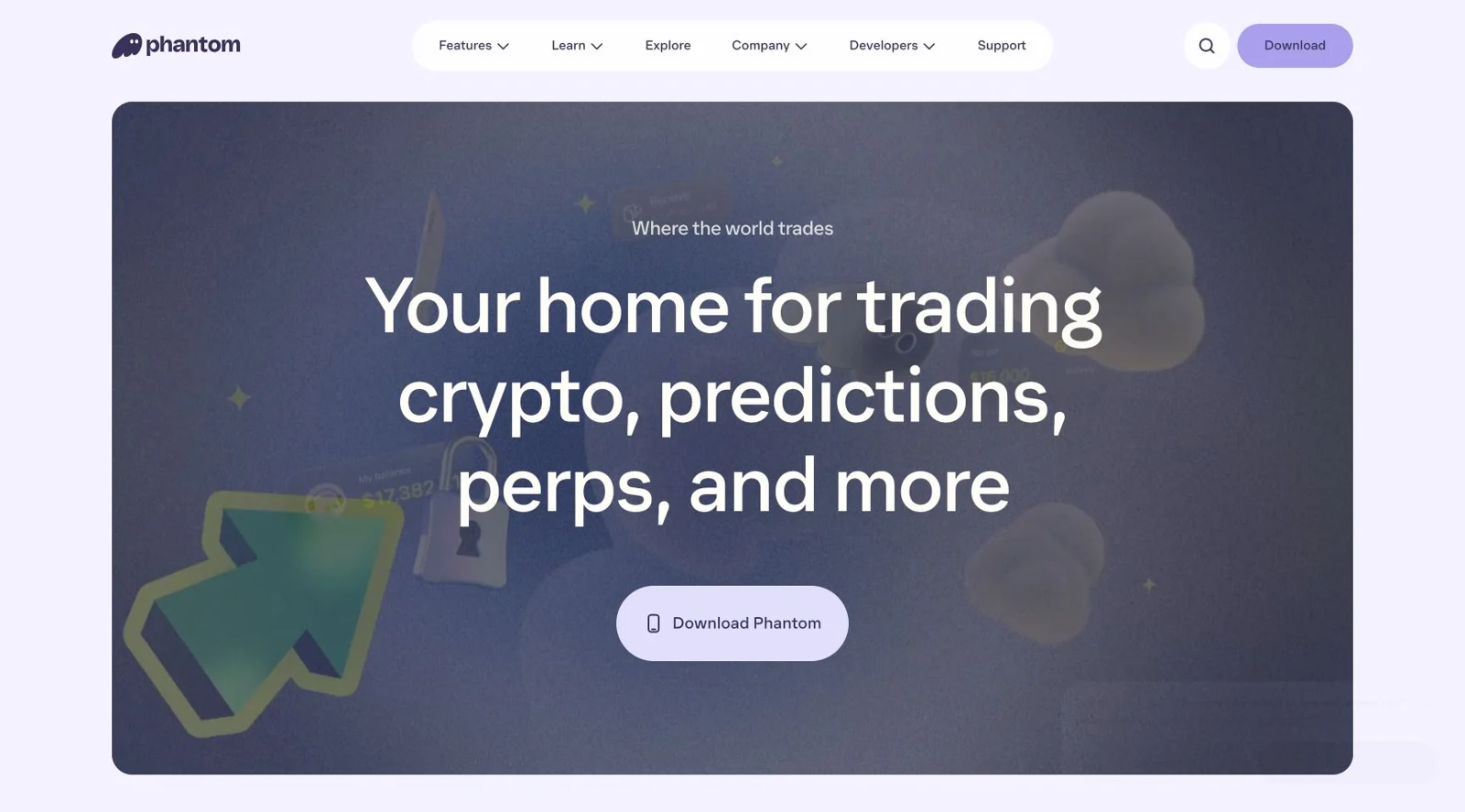
Phantom Wallet Online
Phantom homepage, captured 26 October 2026. Feature availability varies by country and platform.
What is Phantom Wallet?
Phantom is self-custodial wallet software for iOS, Android and desktop browsers. You control the credentials needed to access your wallet. Phantom cannot restore it for you if those credentials are lost. Start with the official download page, rather than a sponsored search result or a link in a direct message.
You can create a wallet with a recovery phrase or a Google or Apple account. Choose a recovery method you can protect and restore reliably. Phantom’s setup guide explains the available routes.
Browser and network support
For desktop, Phantom currently recommends Chrome. Its extension also works in Chromium browsers such as Brave, Edge and Opera, but Phantom does not officially support them. The Firefox extension no longer receives updates. Existing Firefox users should follow the official migration guide before removing their old installation. See the current extension guidance.
Supported networks currently include Solana, Ethereum, Base, Polygon, BNB Chain, Bitcoin, HyperEVM, Arc and Robinhood Chain. Support for one EVM network does not imply support for every EVM network. Check the official network list before sending funds, and match the receiving network as well as the address.
Swaps and fees: convenience has a cost
Phantom can swap tokens on the same network or route a trade between supported networks. The confirmation screen matters more than the headline price: inspect the asset, expected amount received, fees and price impact.
| Cost | What to expect |
|---|---|
| Phantom swap fee | 0.85% on most swaps, with exceptions for specific flows. |
| Network and bridge costs | Vary with the transaction and route. A cross-chain trade can include bridge charges. |
| Price impact and slippage | Affect execution separately from the service fee. Thin liquidity can make a small token expensive to trade. |
At 0.85%, a $1,000 swap carries an $8.50 Phantom fee before other costs. Repeated entries and exits make that fee meaningful. Compare the final quote with a direct swap or trading terminal rather than assuming the lowest advertised fee gives the best result. Official swap fees and routing details.
Keep some SOL available for normal Solana transactions. Certain transactions can be gasless, but that does not mean every transfer is free or that you can always spend your entire SOL balance. Network fees go to the network, not Phantom, and can still apply when a processed transaction fails. How network fees work.
SOL staking: native delegation or PSOL
Phantom offers native staking and liquid staking. With native staking, you choose a validator and delegate SOL. Phantom currently provides this through its browser extension, with a 1 SOL minimum. Unstaking involves a wait and a separate withdrawal. This is a different balance from the SOL you can spend immediately.
Liquid staking gives you Phantom Staked SOL, or PSOL. It is available on mobile and in the extension. Your PSOL token count does not grow with rewards. Instead, each token can represent more SOL over time. See the native versus liquid staking comparison.
PSOL currently charges 4% of staking rewards as a protocol fee and a 0.1% exit fee. The 4% applies to rewards, not your full deposit. Immediate redemption relies on reserve liquidity. If reserves are insufficient, the exit can require a native stake withdrawal instead. PSOL mechanics and fees.
Our assessment: keep trading funds separate from a staking position. Liquid staking adds a token and pool dependency, and using that token in another DeFi protocol adds further risk. A displayed yield is variable, not a promised return.
Newer features beyond the basic wallet
Cash: a separate balance and address
Phantom Cash holds CASH, a dollar-pegged stablecoin, in a separate Solana account linked to your profile. Its address is different from your main wallet’s Solana address. On mobile, it can fund supported trades and payments. Do not assume that selecting a different main wallet account also changes where a Cash transfer arrives. How the Cash account works.
Payment methods and offchain features depend on your region. Phantom lists its virtual debit card and bank-transfer functions for eligible US users, excluding New York. These should not be presented as benefits available to every reader. Regional availability.
Fees also depend on the action. For example, Phantom lists no fee for converting supported Solana stablecoins such as USDC into Cash, but 0.85% for many other token conversions. Card funding has separate charges. Check the Cash fee schedule rather than applying the standard swap fee to every Cash action.
Profiles, following traders and privacy
Phantom profiles can display positions, trading activity and profit or loss. You can follow other traders and receive activity notifications. That makes the app useful for discovery, but following an account should not be confused with automatic copy trading.
Review the Public, Private and Invisible settings before linking your trading identity. Profile visibility controls what people see through Phantom; it does not make public blockchain transactions private. A verification badge is also not a recommendation of someone’s trades. Profile and privacy settings.
Perpetual futures
Phantom integrates Hyperliquid perps, letting eligible users open leveraged long or short positions. Funding is converted and bridged to Hyperliquid. These positions are distinct from buying a Solana token outright.
The mobile app supports market and limit orders for perps. Phantom lists a combined 0.095% fee for specified position operations, but fees can vary by market, order type and account tier. Funding, bridging and withdrawals need separate attention. Perps are unavailable in the US, UK and other restricted territories, and Ledger accounts are not supported. Leverage can liquidate the margin committed to a position. Perps trading and fees.
Prediction markets and tokenized assets
Phantom also documents prediction markets and tokenized assets. Their availability is more restricted than the wallet itself. For example, Phantom’s regional page excludes the Netherlands from tokenized-stock access. Treat these as optional, location-dependent features rather than reasons every Solana user should install the wallet.
For predictions, check the provider and eligibility shown in the app. Phantom publishes separate guides for World markets outside the US and Kalshi in the US. The US guide requires identity verification. Cashing out before settlement depends on liquidity, and an incorrect prediction can lose its purchase cost.
Phantom Terminal: desktop trading deserves its own look
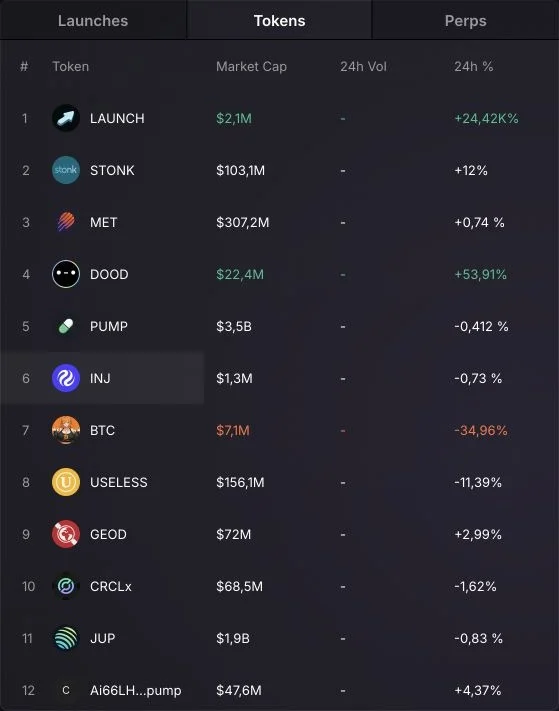
Phantom Terminal combines Solana spot trading with Hyperliquid perps on desktop. It includes TradingView charts, Quick Buy, token discovery, wallet tracking and portfolio views. Spot trades use your Solana balance; perps use a separate USDC balance on Hyperliquid.
Phantom currently documents market orders for Terminal. The mobile app’s perp limit orders should not be assumed to exist on desktop. Cash is not accessible in Terminal either.
Trading presets expose slippage, priority fees and MEV controls. Check these before using a rapid-buy workflow, particularly for low-liquidity tokens. For launch mechanics, see our Pump.fun trading guide. Auto-Confirm can remove individual approval prompts, so review its permissions as well. Official Terminal guide.
Phantom Terminal and the separate product named Terminal are different services. For other desktop options, use our Solana terminal comparer.
Security: useful protections, clear responsibilities
Phantom provides transaction previews, suspicious-site warnings and spam controls. These help you inspect what you are signing. They cannot guarantee that a token, app or transaction is safe.
Face ID, fingerprint authentication and an extension password protect access on the current device. They do not replace your recovery method. A Google or Apple wallet also has an exportable recovery phrase. Protect both the sign-in account and any recovery backup. How Phantom secures wallet access.
When a transaction cannot be simulated accurately, Phantom may show a warning instead of its normal preview. Do not interpret the absence of a clear simulation as approval to continue. Understanding simulation warnings.
Connecting a Ledger
Supported Ledger connections keep the device-held private keys on the hardware wallet. Check the exact model and connection method against Phantom’s compatibility list. Support is not identical across mobile and the extension.
Connect the hardware device through Phantom’s hardware-wallet flow. Never type its recovery phrase into Phantom, a website or a support conversation. Review transaction details on the device before signing. Official Ledger connection guidance.
Using Phantom alongside Solana trading bots
A Phantom funding wallet and a bot-generated trading wallet may be different addresses. Some products accept a wallet connection; others give you a separate deposit address. Follow the chosen product’s deposit and withdrawal instructions, and send a small test amount before committing a larger balance.
Importing an exportable bot key into Phantom does not revoke the original bot’s access. Both interfaces may still control the same address. Moving funds to a newly created wallet is different from viewing an existing wallet through another app.
Our Solana tools hub covers wallet trackers and token analysis tools for checking activity before trading.
A dedicated trading balance can limit how much is exposed to frequent transactions. Keep long-term holdings separate from funds used for new tokens and unfamiliar applications. You can review available workflows in our Solana trading bot directory.
Our assessment
Phantom is a practical starting point for managing SOL, staking and connecting to Solana apps. Its wider product range now makes it more than a storage wallet. The strongest reason to use it is having those tasks together.
Frequent traders should compare actual execution quotes and check which controls are available on their chosen device. The newer trading and payment features do not eliminate swap costs, recovery responsibilities or regional restrictions. Choose it for the workflow you will use, rather than the length of its feature list.
More Solana Wallets

Glow Wallet| Solana crypto wallet
Solana wallet Glow Wallet Your new favorite Solana wallet awaitsGlow WalletAre you searching for a comprehensive solution to manage your Solana assets and dive deep into the Solana ecosystem? Look...

BackPack | Solana crypto wallet
Solana wallet Backpack Wallet Crypto, DeFi and NFT walletBackpack WalletBackpack Wallet stands as a beacon of innovation within the Solana ecosystem, offering users a myriad of features designed to...

Solflare Wallet | Solana crypto wallet
Solana wallet Solflare Wallet A Secure And Powerfull Solana Wallet Introducing SolflareSolflare, a widely acclaimed Solana wallet, has recieved significant attention within the cryptocurrency...

Ledger Wallet | Solana crypto wallet
Solana wallet Ledger Wallet Ledger Nano X and Ledger Nano S Plus for Solana Introducing LedgerLedger has carved a niche with its Nano series. The Ledger Nano X and Ledger Nano S Plus both hardware...