Solana ecosystem guide · Updated 25 October 2026
Compare two or three Solana trading terminals →
Solana trading tools
Discover a token. Investigate its holders. Understand a wallet’s record. Then choose how to trade. Compare current tools for wallet research, token discovery, risk checks and execution.
Some links are affiliate links. We may earn a commission. Commercial terms do not determine the factual descriptions or selection.
Buy or exchange before funding a Solana wallet
Buying SOL and trading a Solana token are separate steps. Use ChangeNOW to check available purchase or exchange options before funding your wallet. Select the Solana receiving network and keep some SOL for transaction fees. Availability, quotes and any identity checks are set by the provider.
Partner link: we may earn commission from eligible activity. This tool is separate from bot rankings and scores. Widget privacy. Cross-network exchanges depend on the assets and networks offered in the current quote.
External widget privacy
Optional ChangeNOW exchange widget
The tools or funding page can load an external ChangeNOW widget only after you select “Load exchange widget”. Until then, this integration sends no requests to ChangeNOW. Loading connects your browser to ChangeNOW and its service providers, which can process connection information and use their own cookies or storage. This choice applies to this page visit and is separate from optional Google Analytics. You can use the external link instead. See ChangeNOW’s privacy policy.
Find the right tool for your task
| Your task | Start here | Verify with |
|---|---|---|
| Find a Solana token | DEX Screener or a terminal’s discovery feed | Original launch page and mint |
| Understand a wallet | dEdge for performance; Cielo for ongoing alerts | Solscan transaction history |
| Inspect concentration | Bubblemaps V2 | RugCheck and individual transfers |
| Place an order | Terminal, Axiom, GMGN or Photon | The order quote, wallet and Solana settings |
| Recover account deposits | Sol Incinerator or Claim Your Sol | The exact transaction and net return |
Trading terminals
These entries focus on research-to-order workflows. The linked bot guides cover setup, fees and execution in depth. There is no universal fastest or best terminal in this guide. Multi-chain apps can reopen your last-used network, so select Solana before comparing tokens or preparing an order.
Discovery to execution
Terminal
Terminal is the current name of the product formerly called Padre. Its Solana workflow combines token discovery, migration monitoring and wallet tracking with an execution interface.
Use it when a token or wallet investigation needs to move into an order workflow. Keep Solana selected and review the execution settings before submitting an order.
- Surface
- Web terminal
- Cost model
- Trading fees; check the order quote
- Access
- Product account and funded trading wallet
Tracking a wallet does not place a trade. A historical Padre URL can still be the correct entry point; it is not a second product.
Launch feeds and wallet monitoring
Axiom Trade
Axiom brings Solana launch discovery and a live wallet feed into one workspace. Its Solana tools include wallet labels, import/export, trade-feed filters and chart bubbles.
Useful for traders maintaining a watchlist alongside new-pair and migration research. Read wallet activity in context before moving to execution.
- Surface
- Web terminal
- Cost model
- Trading fees; see the full guide
- Access
- Account; funded wallet for execution
A wallet alert is a research signal. It does not establish that the trader can be copied at the same price or with the same result.
Wallet-led token research
GMGN
GMGN combines Solana token discovery with wallet research and alerts. Wallet Radar groups research around questions such as common holdings and early buyers.
Use it to investigate which wallets overlap across tokens, then inspect the underlying positions rather than trusting a smart-money label alone.
- Surface
- Web and Telegram
- Cost model
- Trading fees; see the full guide
- Access
- Login requirements depend on access mode
Following and copying are separate actions. Account custody differs by access mode; read the guide before funding a trading account.
Solana token and position workspace
Photon
Photon is an active Solana trading terminal. Its Solana tools include discovery, wallet alerts, holder analytics and migration tracking.
A useful alternative for traders who want discovery and position management in a Solana-focused interface. Compare its workflow with the other terminals before choosing.
- Surface
- Web terminal
- Cost model
- Trading fees; see the full guide
- Access
- Account and funded trading wallet
A terminal is not a complete independent wallet-audit service. Check unfamiliar transfers and token authorities separately.
Wallet research
Wallet analysis asks how an address traded. Tracking asks what it is doing next. Neither proves that copying it will reproduce its results.
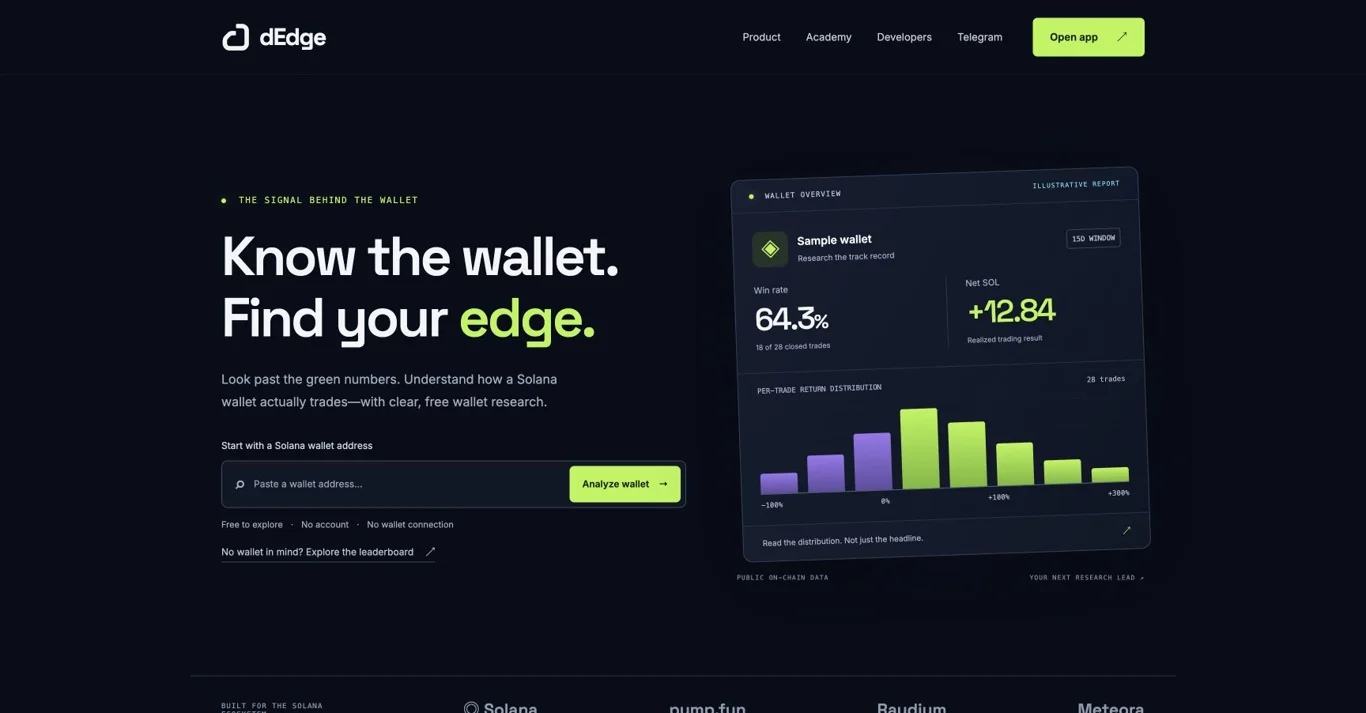
Research a wallet’s trading record
dEdge
dEdge analyzes historical Solana wallet performance. Public summaries show closed trades, win rate, net SOL and the spread of individual trade returns.
Use it to investigate a candidate wallet before deciding whether it is worth following. Check the report window and update time, not just the headline percentage.
- Surface
- Web and Telegram
- Cost model
- Free web reports; free and paid bot plans
- Access
- No account or wallet connection for public web reports
dEdge provides research. Trade execution and copy trading use third-party tools. Missing or stale reports are not proof that a wallet has no activity.
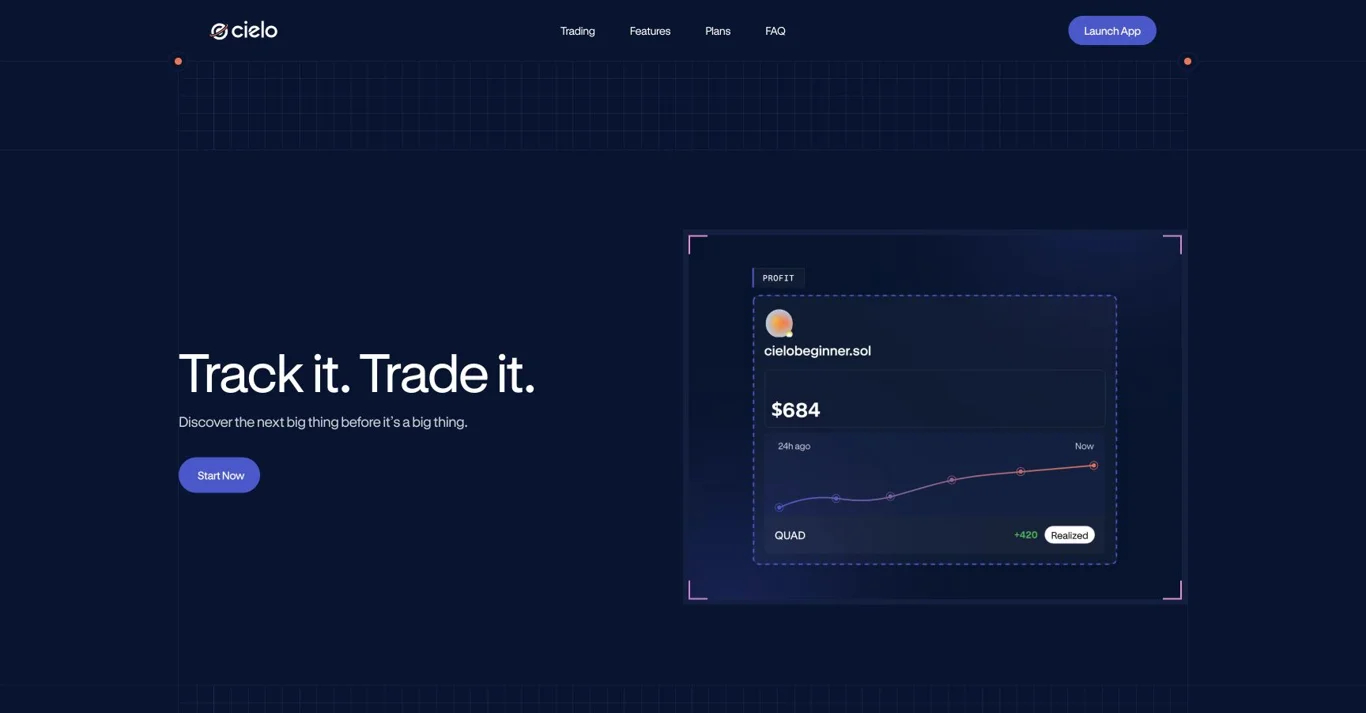
Maintain a filtered wallet-alert feed
Cielo
Cielo organizes watched Solana wallets into lists and delivers filtered activity alerts. Its current product also includes Solana trading, which is separate from configuring a research feed.
Choose it when the question is what a selected group of wallets is doing now. Label addresses and narrow notifications to events that matter to your research.
- Surface
- Web, Telegram and Discord
- Cost model
- Free tier; Pro and Whale subscriptions
- Access
- Account setup; wallet connection may be requested
Solana wallet limits differ from EVM limits. High-activity wallets can be excluded, and an alert is not a guarantee of complete coverage or a profitable entry.
Launch discovery
Start at the source of a launch, then use independent tools to investigate. Token creation and token selection are different decisions.
Inspect the original launch context
Pump.fun
Pump.fun is a Solana token launch and trading platform. Use the original token page to understand launch context before interpreting activity shown by a terminal or screener.
Check the mint, whether the token is still on its bonding curve, and its current trading venue. The linked guide explains the workflow in more detail.
- Surface
- Web and mobile
- Cost model
- Creation and trading have different cost rules
- Access
- Wallet/account setup for transactions
A launchpad listing is not a quality check. Platform, pool, network and third-party interface costs must be distinguished.
Research creator-fee token launches
Bags
Bags provides a Solana token-launch ecosystem with creator-fee tooling. Its official developer documentation covers token launching and related integrations.
Relevant when investigating a token’s creator and fee model. Read the actual project and fee configuration rather than assuming every Bags token has the same purpose.
- Surface
- Web; developer API
- Cost model
- Check the current launch and trading quote
- Access
- Transaction signing for launch or trading
A creator-fee mechanism does not prove utility, revenue quality or future demand. This guide does not rank tokens launched there.
Risk & holders
Combine structural token checks with holder research. A score, a cluster or a label is evidence to examine, not a verdict by itself.
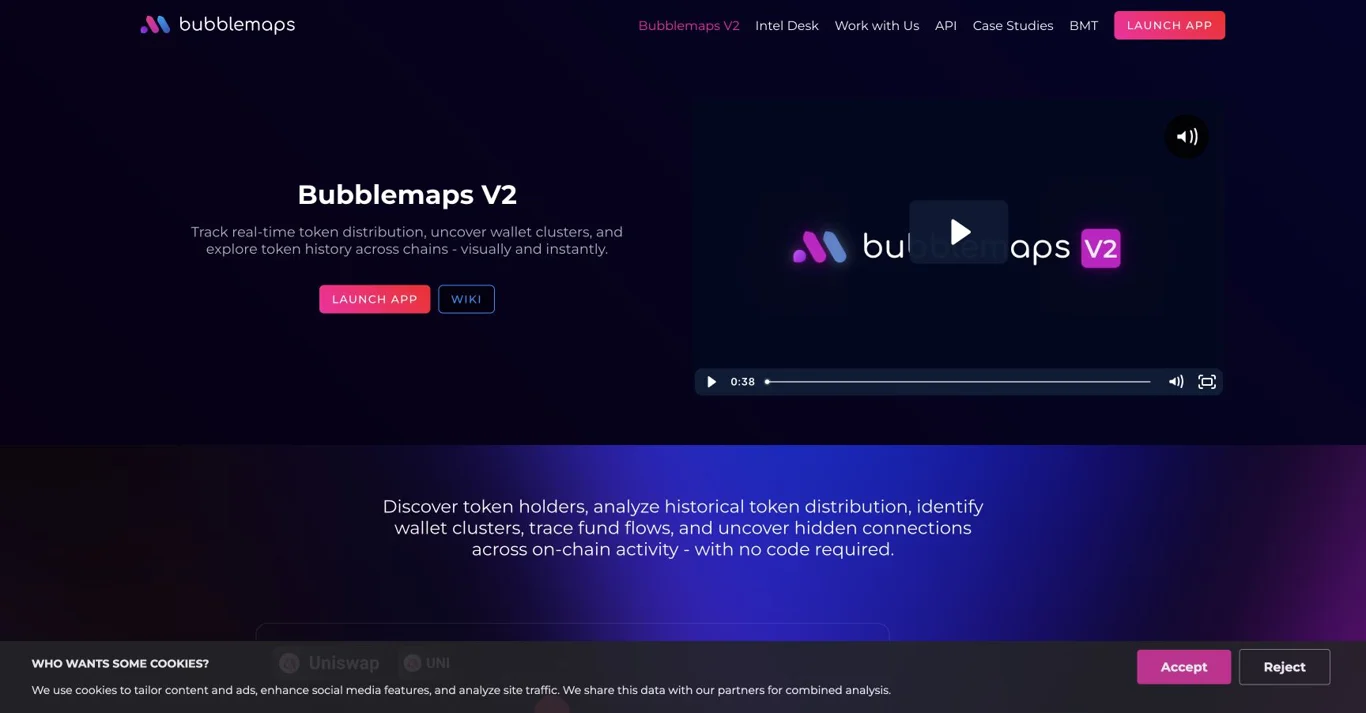
Investigate holder connections
Bubblemaps V2
Bubblemaps visualizes token holders and transfers between them. Select Solana to investigate clusters and changes in token distribution.
Use it after finding a token, especially when a holder list looks dispersed but several addresses may be connected. Inspect the map’s timestamp and transfer details.
- Surface
- Web analytics; optional swap surface
- Cost model
- Core V2 free; some advanced features restricted
- Access
- Public browsing; feature requirements vary
A connection is evidence of a transfer, not proof of common ownership or wrongdoing. It is not a complete bundle detector or safety certificate.
Read a token-risk report
RugCheck
RugCheck is a token-risk screening interface with a Solana context. Look up the exact mint and read the individual report findings before relying on its summary.
Use it as a second check alongside holder analysis and an explorer. Investigate each available warning and the timestamp of the report.
- Surface
- Web scanner
- Cost model
- Check current in-app pricing
- Access
- Public token lookup; no trade needed
A positive summary cannot establish a developer’s intentions or future liquidity. Unavailable checks remain unknown; they are not a pass.
Investigate Solana wallet clusters
TrenchRadar
TrenchRadar analyzes Solana tokens and groups wallets by shared funding and coordinated activity. Its cluster view helps investigate holder relationships and possible bundled activity.
Use it to examine how connected wallets acquired a token, then check the underlying transactions before drawing conclusions.
- Surface
- Web and Telegram
- Cost model
- Check current access and subscription options
- Access
- Token address; Telegram for bot access
A wallet cluster is a research signal, not proof of common ownership, a rug pull or future returns. Coverage and classifications can be incomplete.
Market & on-chain data
Use market dashboards for context and an explorer to verify the underlying record.
Compare Solana pairs and market activity
DEX Screener
DEX Screener indexes on-chain trading data into pair charts and analytics. Its Solana view is useful for checking the market around a token.
Compare the exact pair, liquidity and trading activity before moving to a terminal. A ticker alone is not enough to identify a token or pool.
- Surface
- Web, iOS and Android
- Cost model
- Public charts; paid promotion is separate
- Access
- Public browsing; optional personal features
Listings are processed automatically. Visibility and paid promotional signals are not independent endorsement.
Verify transactions and account activity
Solscan
Solscan is a Solana block explorer for inspecting transactions, accounts, tokens and programs. It is the verification step when another dashboard’s interpretation is unclear.
Use a transaction signature to check what happened, or inspect a public address to follow its account activity. Separate swaps from transfers before drawing performance conclusions.
- Surface
- Web explorer
- Cost model
- Public explorer; separate developer services
- Access
- No wallet connection for public lookup
An explorer exposes records rather than a complete trading strategy. Human identity and intent cannot be established from an address alone.
Wallet cleanup
Account cleanup recovers eligible deposits. It is separate from portfolio performance and token trading.
Close empty token accounts
Sol Incinerator
Sol Incinerator can recover eligible rent from empty Solana token accounts. Its current Fun Mode separates account cleanup from the destructive burning tools available in Pro Mode.
Useful after frequent trading has left empty accounts. Review which accounts are eligible and the net amount before approving the transaction.
- Surface
- Web wallet utility
- Cost model
- Service and network fees apply
- Access
- Wallet connection and transaction approval
Recovered SOL is an account deposit, not trading profit or free yield. Burning a token is different from closing an already-empty account.
Alternative account-cleanup workflow
Claim Your Sol
Claim Your Sol provides account cleanup alongside token and NFT handling. Its interface separates account, token and NFT views.
Compare the proposed cleanup and net recovered SOL with another utility before choosing. Only approve the exact account operations you understand.
- Surface
- Web wallet utility
- Cost model
- Check the current fee and net claim
- Access
- Wallet connection and transaction approval
Token burns and account closures have different consequences. Do not assume every asset shown is worthless or safe to remove.
Project services
Optional services for project teams. These are not token-quality signals or part of the recommended trader research stack.
Project promotion service
Boost Legends
Boost Legends sells crypto and social-media promotion services, including DEX reactions and Telegram/community services. Its catalogue also advertises generated trading-volume services.
These services are intended for project promotion, not token analysis. Check the exact deliverable and service terms; promotional counts do not measure organic demand.
- Surface
- Website and Telegram
- Cost model
- Paid services; quote varies by service
- Access
- Panel account or Telegram flow
Generated volume and purchased engagement should not be interpreted as genuine trader interest.
Compare the tools at a glance
| Tool | Primary job | Cost model | Guide or details |
|---|---|---|---|
| Terminal | Discovery to execution | Trading fees; check the order quote | Read guide |
| Axiom Trade | Launch feeds and wallet monitoring | Trading fees; see the full guide | Read guide |
| GMGN | Wallet-led token research | Trading fees; see the full guide | Read guide |
| Photon | Solana token and position workspace | Trading fees; see the full guide | Read guide |
| dEdge | Research a wallet’s trading record | Free web reports; free and paid bot plans | Read guide |
| Cielo | Maintain a filtered wallet-alert feed | Free tier; Pro and Whale subscriptions | Read guide |
| Pump.fun | Inspect the original launch context | Creation and trading have different cost rules | Read guide |
| Bags | Research creator-fee token launches | Check the current launch and trading quote | View tool details |
| Bubblemaps V2 | Investigate holder connections | Core V2 free; some advanced features restricted | Read guide |
| RugCheck | Read a token-risk report | Check current in-app pricing | View tool details |
| TrenchRadar | Investigate Solana wallet clusters | Check current access and subscription options | View tool details |
| DEX Screener | Compare Solana pairs and market activity | Public charts; paid promotion is separate | View tool details |
| Solscan | Verify transactions and account activity | Public explorer; separate developer services | View tool details |
| Sol Incinerator | Close empty token accounts | Service and network fees apply | View tool details |
| Claim Your Sol | Alternative account-cleanup workflow | Check the current fee and net claim | View tool details |
| Boost Legends | Project promotion service | Paid services; quote varies by service | View tool details |
A workflow you can repeat
- Identify: copy the exact mint from the original project or launch page. Record the chain and pair before comparing charts.
- Investigate: inspect distribution in Bubblemaps and the available checks in RugCheck. Open unexplained transfers in Solscan.
- Evaluate wallets: use dEdge to review a bounded trading history. Compare sample size, closed positions and the report timestamp.
- Monitor: use a small Cielo list or your terminal’s wallet feed. Label why each wallet is included so an alert has context.
- Execute deliberately: move to one terminal, verify the wallet and quote, and inspect slippage, priority fees and any protection settings.
- Review: reconcile your own transactions. Clean up empty accounts only after checking the proposed operations.
Choose a compact tool stack
Token research
DEX Screener + Bubblemaps + Solscan. Add a token-risk report when needed. This combination separates price activity, ownership relationships and transaction verification.
Wallet-following research
dEdge + Cielo + Solscan. Research first, monitor second, and verify unusual events. Use a separate execution product only when you decide to trade.
Launch monitoring
Pump.fun or Bags + one terminal + a holder check. Multiple terminals showing the same event are not independent confirmation of token quality.
Trading-account maintenance
Your transaction history + one cleanup utility. Compare net recovery and avoid turning an account-cleanup task into an unnecessary token burn.
Frequently asked questions
What are the best Solana trading tools?
Choose by task: a terminal for execution, dEdge for wallet-performance research, Cielo for a configured alert feed, Bubblemaps for holder connections, and Solscan for transaction verification. You do not need every tool.
What is the difference between a Solana wallet analyzer and tracker?
An analyzer interprets past activity over a defined period. A tracker monitors new activity from selected addresses. Historical profitability and live alerts answer different questions.
Which Solana terminals support limit orders?
Terminal and Photon support Solana limit orders. Check each guide for supported order types and restrictions, and review the order settings before use.
Which tools help check bundled Solana supply?
Use Bubblemaps to investigate holder connections and Solscan to inspect the underlying transactions. A cluster is not proof that purchases were bundled or that wallets share one owner. A bundle checker should help identify evidence to investigate, not supply a safety verdict.
Which tools work with Pump.fun?
Start with our Pump.fun guide for the launch process, then use a terminal for discovery, a holder map for concentration and an explorer for transaction checks. This keeps launch mechanics separate from token-quality claims.
Does a token scanner prove a token is safe?
No. A report can highlight available on-chain evidence, but it cannot guarantee future behavior, liquidity or returns. Missing data must remain unknown.
Is Terminal the same product as Padre?
Terminal is the current brand; Padre is its historical name. Read the Terminal guide for the current product and its historical Padre naming.
Does dEdge automatically copy trades?
No. dEdge provides wallet research and tracking. Trade execution and copy trading use separate third-party tools.
Are the free tools enough to start researching?
Public charts, explorer records and wallet summaries can support an initial investigation. Paid plans mainly need to be evaluated against your actual limits and workflow, not a promise of better returns.
Do I need to connect a wallet to every tool?
No. Public address lookups can be read-only. Trading and account cleanup require a different level of access and transaction approval; inspect each tool’s requirements.
Product documentation
Use these official product pages and help guides to check current features, prices and access requirements.